Administration & audit
Control who sends, and keep a record you can check
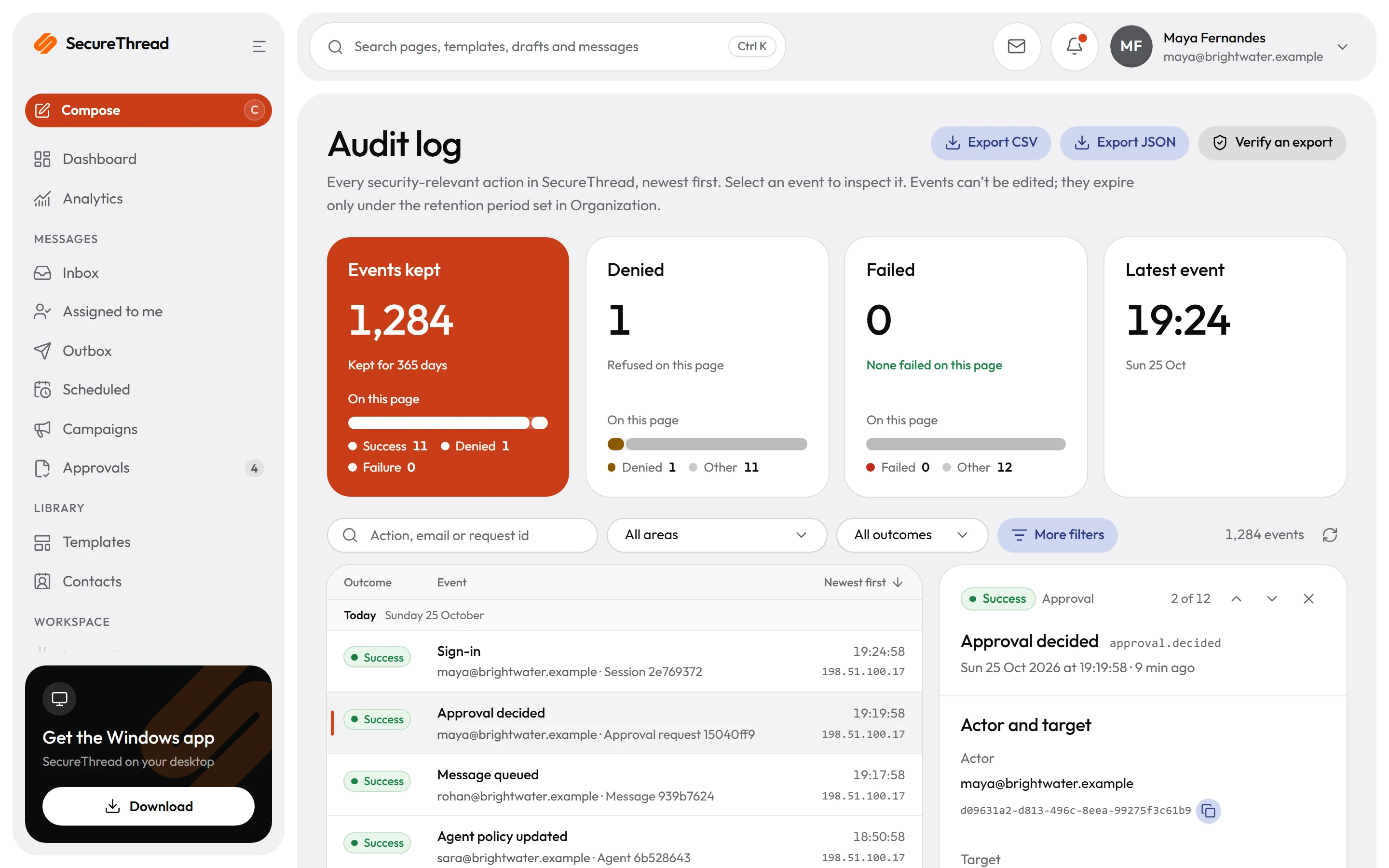
Invite and provision people, set roles and sending quotas, and use an emergency send switch when it is needed. The audit log is append-only, and every export can be checked offline.
Roles and custom permissions
Roles and custom permissions decide what each person can do. Administrators define them in the admin console.
SCIM provisioning
SCIM 2.0 lets your identity provider create, update and deactivate people. Deactivating someone ends their sessions, and nothing is deleted.
Quotas and an emergency switch
Sending quotas limit how much mail can go out. An emergency send switch lets administrators stop sending when a situation calls for it.
Audit log and signed exports
The audit log is append-only. Each export is sealed with a SHA-256 hash and an Ed25519 signature, so a changed file no longer matches its manifest.
Content policy and guardrails
Email that breaks the content policy is never sent, and each blocked attempt is a warning. Outbound guardrails also screen for personal data and secrets.
Legal hold and eDiscovery
A legal hold stops the purge of the mail it covers. An eDiscovery export of held mail is signed and includes its metadata, and its files expire after seven days.
Audit log and exports
A record that is kept, exported and checked
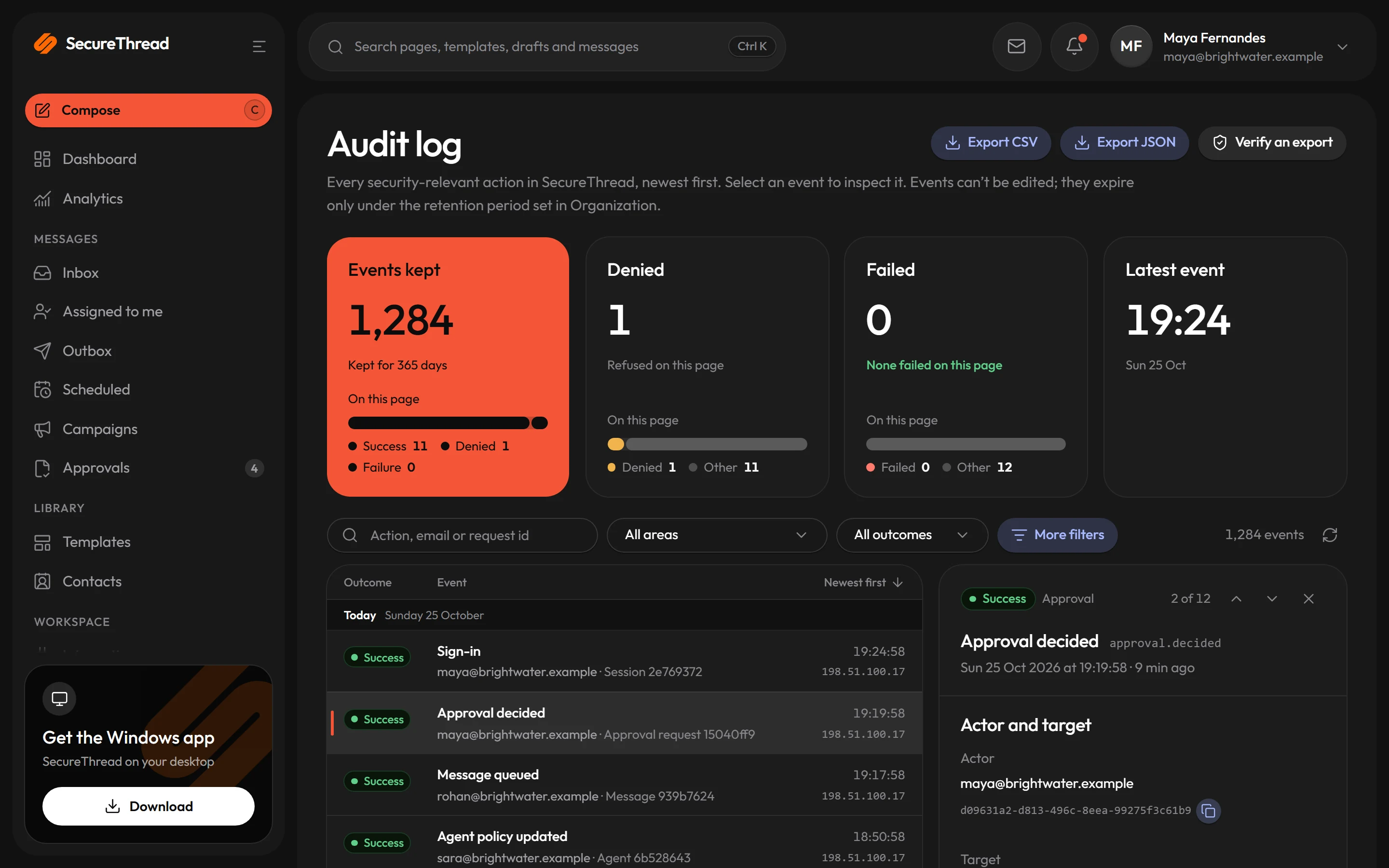
Entries are added to the audit log and never changed. Anyone holding an export file can check that it matches the manifest sealed when the file was written.
- Direct CSV or JSON exports from Administration › Audit log › Export CSV hold the newest 100,000 matching events, and cover at most 366 days when a range is given
- Large exports are built in the background over a range of at most 366 days, hold up to 1,000,000 events and are kept for seven days
- Newer exports record who made them and with which filters, including the date range
- Administration › Audit log › Verify an export hashes the file in your browser. The file is never uploaded.
Content policy
Stopped at submission, never sent
Outgoing email may not contain profanity, insults, harassment, threats, hate speech or sexual content. The check reads what a recipient reads: the subject, preview text, sender name, plain-text body and image descriptions.
- Every path that submits a message passes through the check: the composer, test sends, schedules, campaigns, workflows, the assistant and the API
- A word list always runs. Administrators can add words and phrases to block, and add exceptions the list should never flag.
- An optional AI review, off by default, checks messages the word list passes. If it cannot run, the word list decides, unless administrators choose to hold messages instead.
- Warnings come first. With the default of three, the fourth attempt suspends the account at once, and only an administrator can reactivate it.
API keys
Keys limited by scope and network
API keys authenticate calls to the public REST API. Each key carries scopes, and an IP allowlist limits the addresses it can be used from.
- Scopes limit each key to the work it is allowed to do
- An IP allowlist restricts a key to the addresses you name
- The public REST API covers templates, contacts, mailboxes, sending and status
- Administrators manage keys in the admin console
What’s included
Every feature, with its status
What is built today, what is in beta, and what is on the roadmap.
All features- Available
Users, invitations and roles
Invite people, assign Administrator, Employee or Viewer, and limit template categories per person.
- Available
Custom roles and permissions
Roles built from individual capabilities beyond the three built-in ones.
- Available
Quotas and an emergency send switch
Sending quotas per person and mailbox, and one switch that stops every send at once.
- Available
Append-only audit log
Every security-relevant action recorded with redacted metadata.
- Available
Signed audit export
Export the audit log as signed CSV or JSON for a date range, verifiable offline.
- Available
SIEM audit streaming
Stream audit events to Splunk, Datadog or another SIEM endpoint.
- Available
Archive, legal hold and eDiscovery
Hold mail from deletion and export it, signed, with its metadata.
- Available
Retention, export and deletion
Retention periods, a workspace export, and deletion of a workspace or a person’s data.
- Available
Workspace branding
Your logo for light and dark mode and a brand accent across the app and email.
Specifications
The details
- Audit exports
- Newest 100,000 events directly; up to 1,000,000 as a large export
- Export seal
- SHA-256 hash and Ed25519 signature, checked offline
- Large exports
- Built in the background and kept for seven days
- Provisioning
- SCIM 2.0, RFC 7643 and RFC 7644
- Email addresses
- One account per address, across the whole platform today
- Warnings before suspension
- Three by default, set from 0 to 10
FAQ
Questions, answered
How do we know an export has not been changed?
Each export is sealed with a SHA-256 hash and an Ed25519 signature, and its manifest is recorded in the workspace audit log. Even a changed line ending changes the hash, so the check fails. A short verifier script runs offline with Node.js 22 or later.
Can we stream audit events to our SIEM?
Yes. Administrators can stream audit events to their SIEM’s HTTPS collector. Check that events arrive in your SIEM before you rely on the stream.
How long are large exports kept?
A large export is built in the background and kept for seven days, then its file is deleted. Its manifest stays on record. Requesting, downloading and deleting the file are each audited. eDiscovery export files also expire after seven days.
What happens when someone breaks the content policy?
The message is never sent, and the sender sees what was flagged and how many warnings remain. After the last warning, the next attempt suspends the account at once, and only an administrator can reactivate it. The last active administrator is never suspended.
What happens when our identity provider deactivates someone?
SCIM deactivates the person and ends their sessions. Nothing is deleted. The identity provider can change who holds a role, but roles are defined in the admin console and cannot be created over SCIM.
Send your first approved email today
Connect a mailbox, pick a template and send with the checks and approvals your organization needs. No new email address, no new habits.