41 templates
Operations
Starter templates for operations, as they appear in the composer. Subject lines show their variables in brackets.
As recipients see them
How these emails look
Rendered by SecureThread’s own email renderer with each template’s example details. Your logo, company details and the facts you fill in replace them when you send.
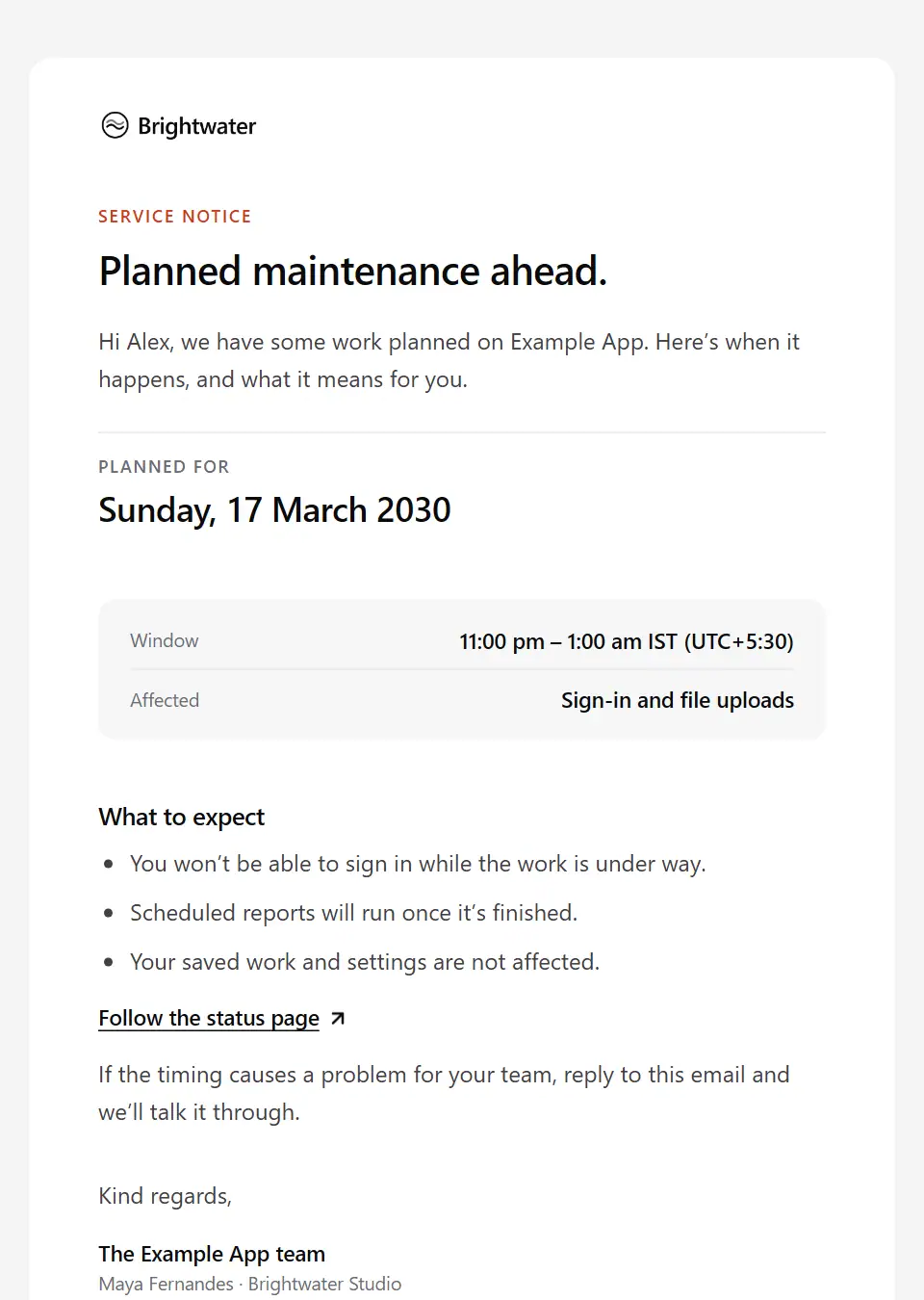
Scheduled maintenance notice
Gives customers advance notice of planned maintenance: when it happens, what is affected and what to expect.
Subject: [product name] maintenance on [maintenance date]
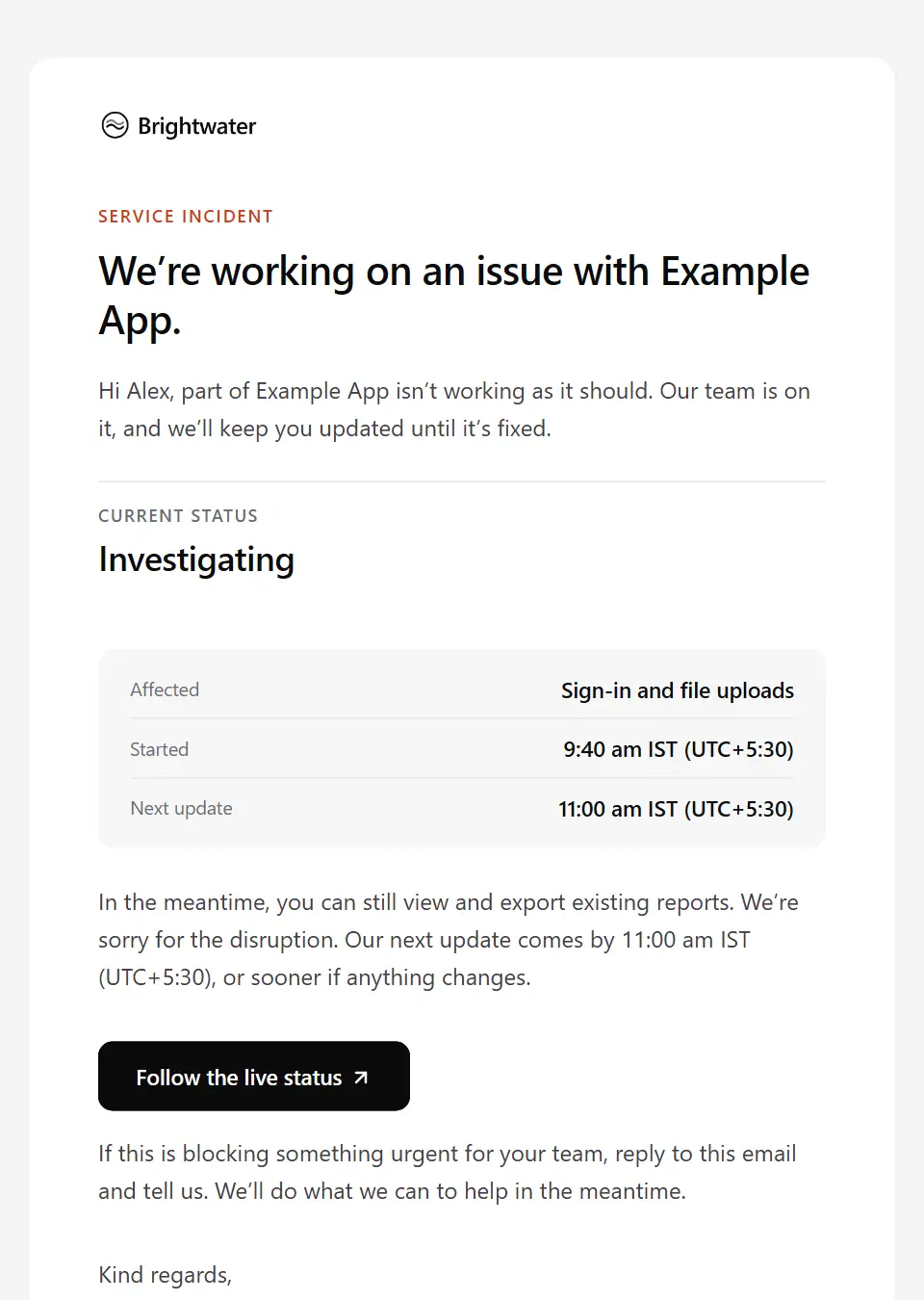
Service incident notice
Tells customers about a live problem: what is affected, where things stand and when the next update comes.
Subject: Service update: an issue with [product name]
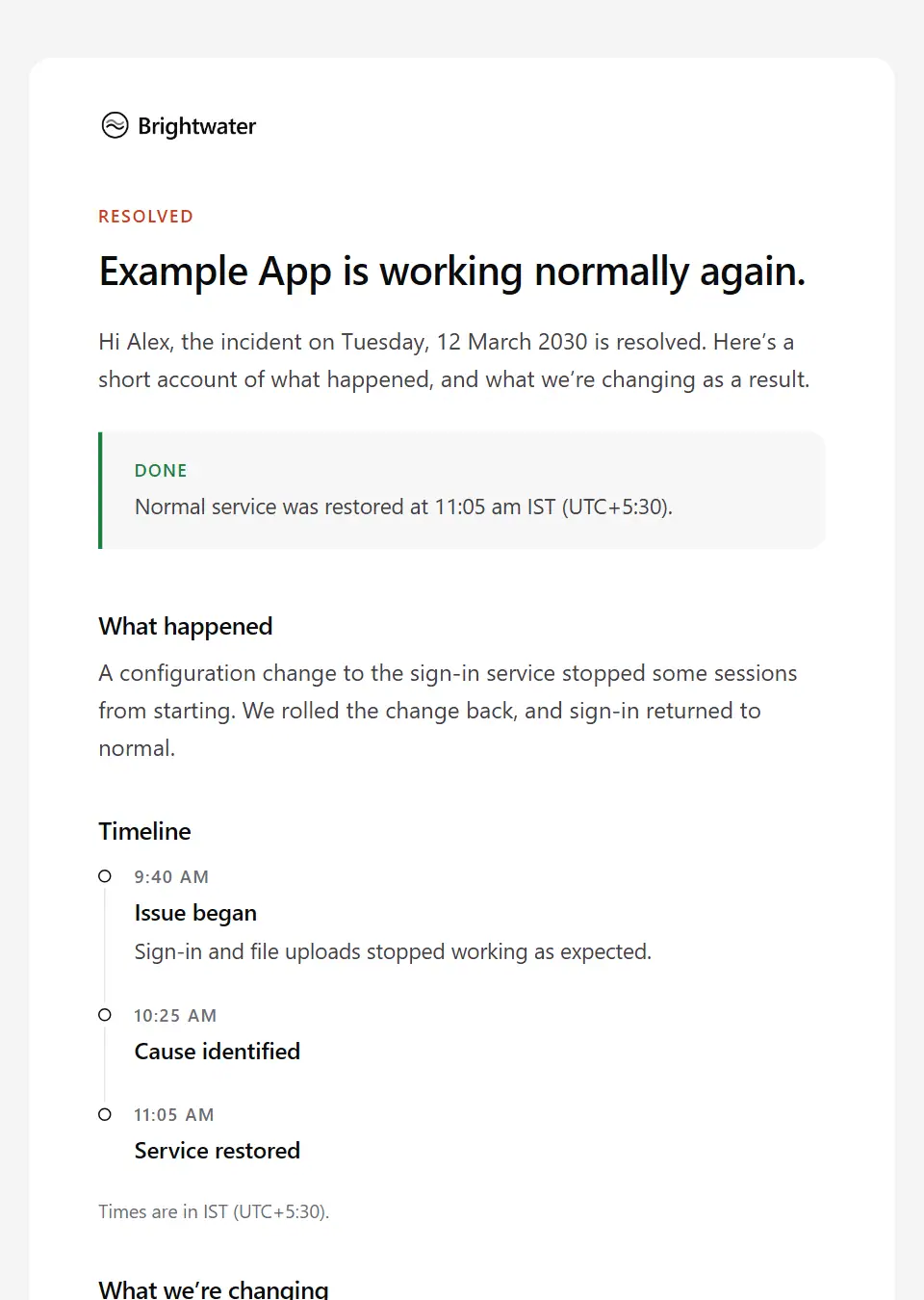
Incident resolved summary
Closes an incident with a plain account of what happened, a short timeline and what will change.
Subject: Resolved: [product name] incident on [incident date]
Access granted
Tells a team member they have access to a system: which one, at what level, how to sign in and whom to ask. Never carries a password.
Subject: Your access to [system name] is ready
Office closure notice
Lets clients and contacts know when the office is closed, when it reopens and who to contact for anything urgent.
Subject: Our office is closed from [closure start]
Security awareness notice
A calm reminder to the team about a security risk: four everyday habits, and who to tell if something looks wrong.
Subject: A reminder about [security topic]
Internal system outage
Tells colleagues an internal system is down: what’s affected, where things stand, how to keep working and when the next update comes.
Subject: [system name] outage: what we know so far
Maintenance completed
Tells customers planned maintenance is finished: when it ended, what was affected, what changed and who to tell if something looks wrong.
Subject: [product name] maintenance is complete
New tool rollout
Introduces a new internal tool to the team: why it’s coming, the timeline from first sign-in to switch-over, and where to get help.
Subject: Introducing [tool name]: what changes and when
Business continuity test notice
Gives colleagues notice of a planned continuity exercise: when, who’s involved, what to prepare and how to tell a real problem from the test.
Subject: Planned continuity test on [test date]
IT security policy reminder
Reminds the team of the essentials of the IT security policy, links to it in full and says where to report concerns. Never asks for credentials.
Subject: Reminder: the essentials of our [policy name]
Office move notice
Tells clients and contacts the office is moving: the new address, from when, what to update and what stays the same.
Subject: Our new office address from [effective date]
Escalation path update
Tells teams who to escalate operational problems to from a given date: the contact at each level, out-of-hours and on-call cover, and what counts as urgent.
Subject: New escalation contacts from [effective date]
Procedure deviation approval request
Asks a procedure owner to approve a temporary departure from a controlled procedure before it happens: which step, why, the controls used instead, how long it lasts and the decision deadline.
Subject: Approval needed: deviation from [procedure name]
Process change feedback request
Asks the people affected by a proposed process change for their views before it’s decided: what’s proposed and why, the questions to answer and the date feedback closes.
Subject: Your views on a proposed change to [process name]
Process change notice
Tells the teams who use or feed into a process that it’s changing: what they’ll do differently, from when, how requests already in flight are handled and who helps during the switch.
Subject: How we [process action] is changing
Standard operating procedure update
Tells the people who carry out a procedure that its SOP has changed: what’s different, when the new version applies, how to handle work already in progress and the date to confirm they’ve read it.
Subject: Updated procedure: [procedure name]
Site safety induction booking
Books a worker onto the safety induction for a construction site before their first shift: when and where, how long it takes, what to bring and the site rules to read first.
Subject: Site induction: [site name], [induction date]
Franchise operations manual update
Tells franchisees that a section of the operations manual has changed: what is different, when it takes effect, what each location must do and the date to acknowledge it by.
Subject: Operations manual update: [manual section]
Franchise location cut-over plan
Gives one franchise location its date to switch to a network-wide change, such as a new till or ordering system: why it’s happening, the training, what to do beforehand and who supports the day.
Subject: Your cut-over date for [change name]
Quality hold notice
Tells warehouse, production and sales colleagues that a product lot is on quality hold: what’s held and why, where it’s quarantined, the orders affected, who is investigating and when a decision is expected.
Subject: Quality hold on [product name]: [hold reference]
Shift handover note
From the outgoing shift lead to the incoming one: open issues, work in progress, safety and equipment notes, promises made to customers and who to call, so nothing is lost at changeover.
Subject: Shift handover: [shift name] on [shift date]
Operational review invitation
Invites managers to the regular operations review: when and where, the agenda, the performance pack to read beforehand, last review’s open actions and the update each attendee sends in advance.
Subject: [review period] operations review on [meeting date]
Operations performance report
The week or month in operations for managers and leadership: overall status, the measures you report against target, issues and risks, actions with owners and the next period’s focus, linked to the full dashboard.
Subject: Operations report for [reporting period]: [overall status]
Site safety incident report
Reports an injury, near miss or dangerous occurrence at a work site to the safety team and management: the facts known, people involved by role only, immediate actions, whether it’s reportable and who leads the investigation.
Subject: Safety incident [incident reference] at [site name]
Subcontractor look-ahead and coordination
Coordinates the subcontractors on one site for the coming weeks: who works in which area, changes to sequence, shared plant and delivery slots, permits needed and the next coordination meeting.
Subject: [project name] look-ahead from [week commencing]
Brand standards audit results
Shares a location’s brand standards audit outcome as the auditor recorded it: the overall result, the findings, the corrective actions and their dates, the full report and how to query a finding.
Subject: Brand standards audit results: [location name]
Brand standards audit scheduling
Gives a franchise or branch location notice of a brand standards audit: the date and time window, who will visit, what the audit covers, the checklist and how to ask for another date.
Subject: Your brand standards audit on [audit date]
Capacity constraints notice
Tells the teams who send work to an operations team that capacity is limited for a period: the current turnaround, how requests are prioritised, what to hold back and how to flag urgent work.
Subject: Limited capacity in [team name]: what to expect
Contingency arrangements activated
Tells colleagues a contingency plan is now in effect: why, what changes for them now (where to work, which workarounds to use), who’s coordinating, and when and how to check in.
Subject: Contingency plan in effect: [contingency scenario]
Continuity exercise results
Follows a business continuity exercise with what it tested, what worked, the gaps found, each action with its owner and due date, and when the plan will be tested again.
Subject: Results of the [exercise name] continuity exercise
Continuity plan review request
Asks a plan owner to review their team’s business continuity plan by a date: critical activities, recovery priorities and contact lists to check, known changes since the last review, and where to record it.
Subject: Continuity plan review due: [plan name]
Extended turnaround notice
Tells clients and customers ahead of a busy or short-staffed period that turnaround will be longer: the dates, the turnaround to expect, a cut-off for urgent requests and what stays the same.
Subject: Longer turnaround from [period start]: plan ahead
Normal operations resumed
Stands down contingency arrangements: when normal working resumes, what to do with work done under workarounds, which backlogs come first and the date records must be brought up to date.
Subject: Normal working resumes from [resume date]
Internal supplier disruption alert
Warns internal teams that a supplier problem affects work: which supplier and what’s affected, the expected duration, the workaround or alternative source, what to tell customers and who’s managing it.
Subject: Supplier disruption: [supplier name]
Production line stoppage notice
Tells plant colleagues that a production line has stopped: since when and why, what it means for this shift and the orders on the line, what to do meanwhile and when the next update comes.
Subject: Line stoppage: [line name] at [site name]
Planned internal system downtime
Gives colleagues advance notice that an internal system, such as email, VPN or an HR tool, will be unavailable for planned work: when, what stops working, the workaround and whom to contact.
Subject: [system name] unavailable on [maintenance date]
Internal system restored
Tells colleagues an internal system that was down is working again: since when, anything to redo or check, such as re-sending work or re-syncing, and how to report a problem that remains.
Subject: [system name] is working again
IT equipment verification request
Asks a colleague to confirm, by a date, the laptops, phones and other IT equipment recorded against their name, correct anything wrong and say where each item is, without ever asking for passwords.
Subject: Please confirm the equipment assigned to you
Internal software licence renewal decision
Asks an internal budget owner to decide how a software licence renews, before its renewal date: the renewal date and cost, seats bought against seats in use, the options and the date to decide by.
Subject: Renewal decision needed: [software name]
Unused software licence reclaim
Tells a colleague their licence for a software tool shows no recent use and will be removed on a date unless they reply to keep it, with what removal means for their files and how to ask again later.
Subject: Do you still need [software name]?
Send your first approved email today
Connect a mailbox, pick a template and send with the checks and approvals your organization needs. No new email address, no new habits.