42 templates
Projects & product
Starter templates for projects & product, as they appear in the composer. Subject lines show their variables in brackets.
As recipients see them
How these emails look
Rendered by SecureThread’s own email renderer with each template’s example details. Your logo, company details and the facts you fill in replace them when you send.
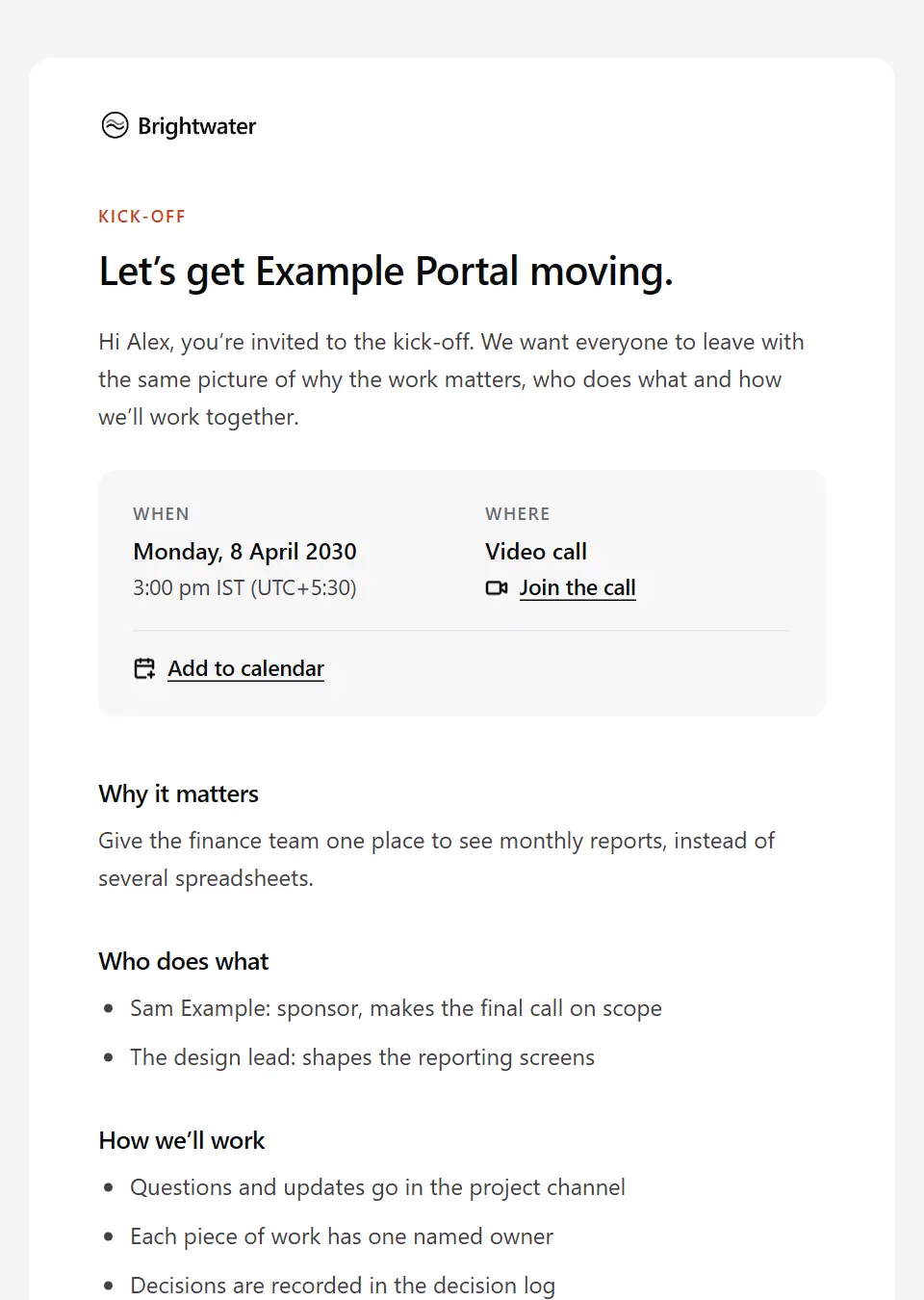
Internal project kick-off
Invites the internal project team to a kick-off: why the project matters, who does what, how the team will work and communicate, and the first milestones.
Subject: Team kick-off: [project name], [meeting date]
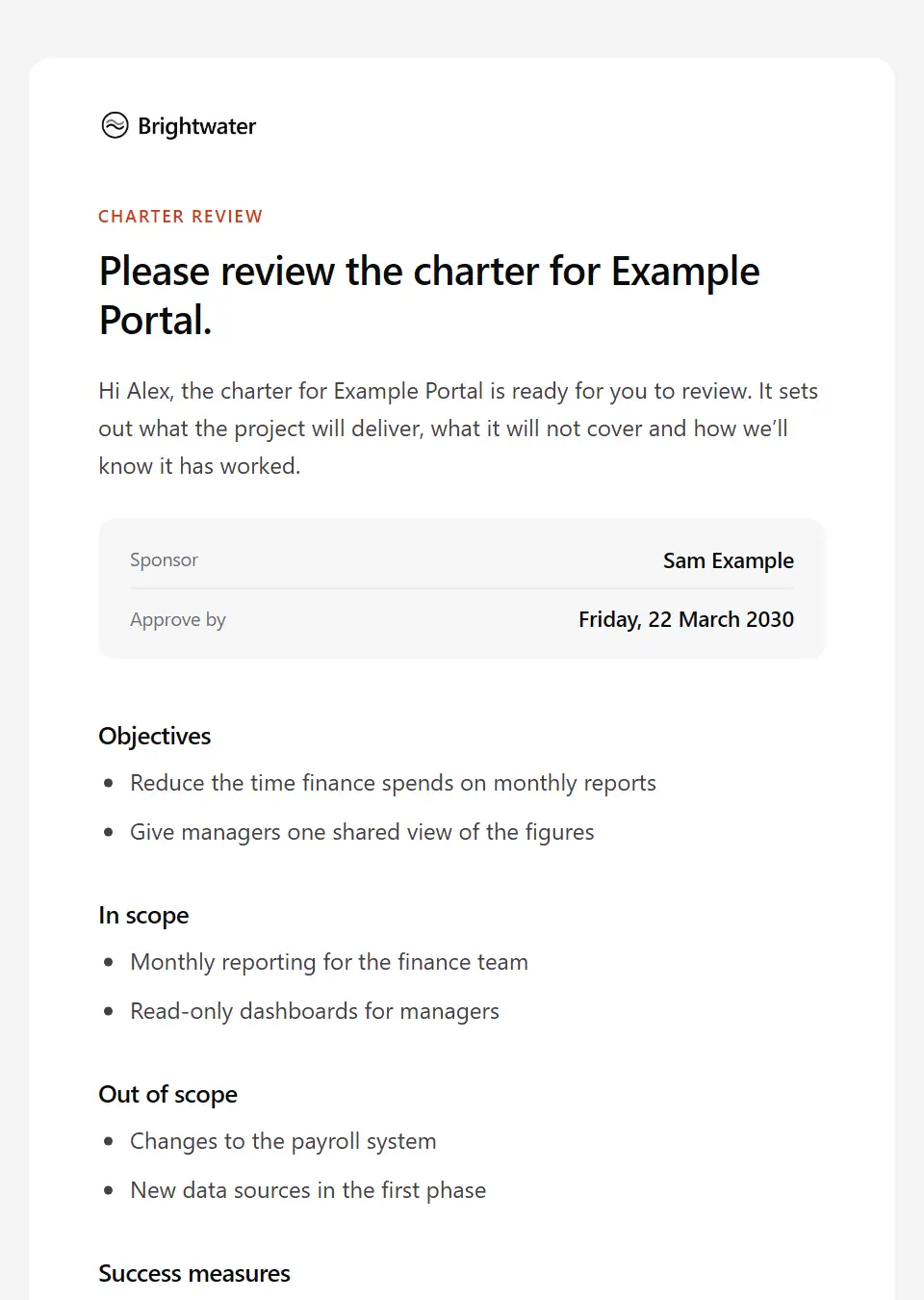
Project charter review request
Circulates a project charter to the sponsor and key stakeholders: the objectives, scope, success measures and key dates, and the date to approve it or raise a concern.
Subject: [project name] charter: review by [deadline date]
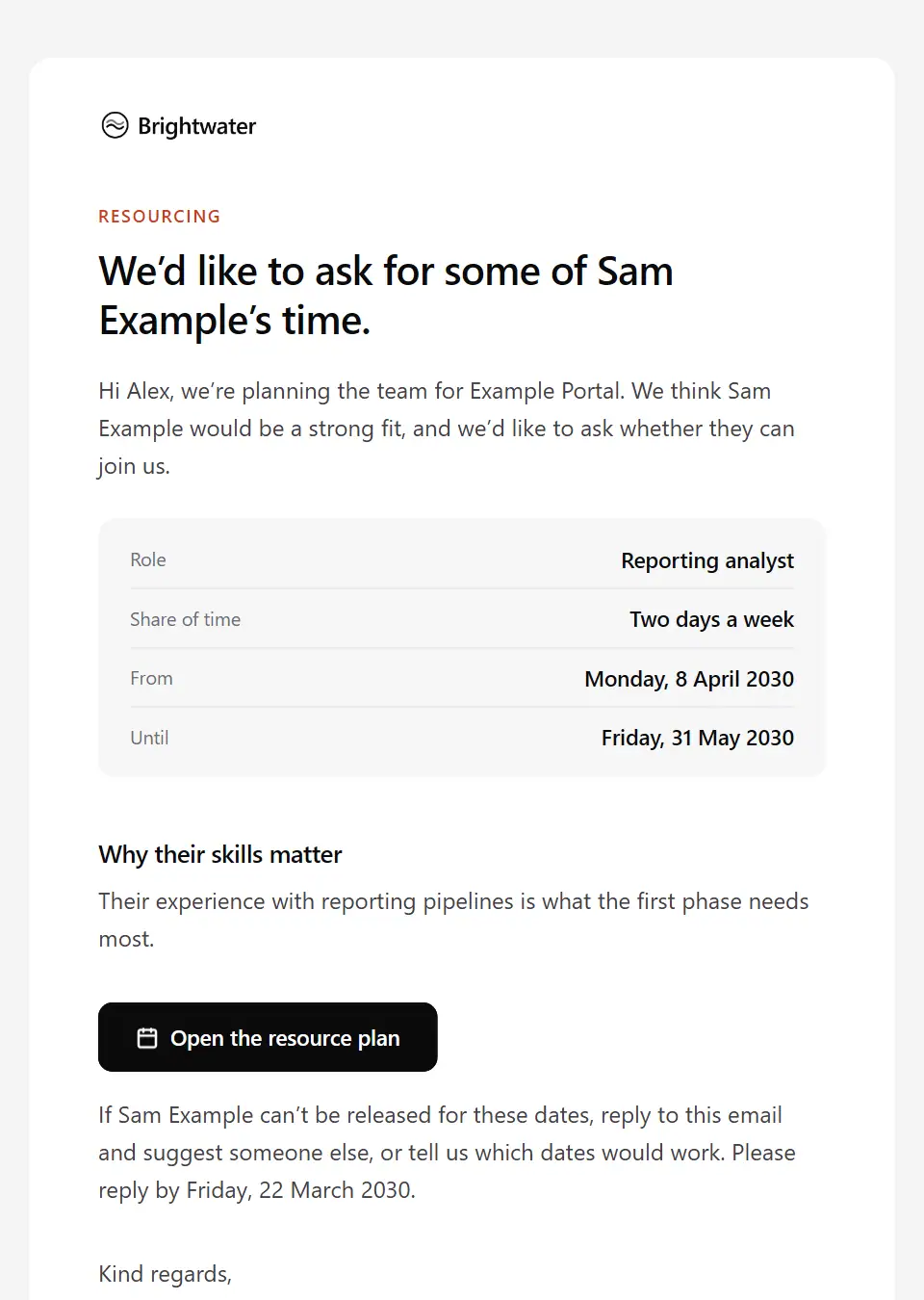
Project resourcing request
Asks a line manager to release a named person to a project: the role, the share of their time, the dates and why their skills matter, and when a reply is needed for planning.
Subject: Could [person name] join [project name]?
Publication production schedule
Shares the production schedule for an issue or edition with contributors, editors and production partners: each stage, its deadline and owner, and the publication date.
Subject: [publication name] production schedule: [edition name]
Decision record
Records a project decision for everyone affected: what was decided, by whom and when, the options considered, why, what it changes and when it will be revisited.
Subject: Decision: [decision title]
Internal scope change request
Asks the project sponsor or change board to approve a change to agreed scope: what changes and why, the effect on time, cost and quality, the options and the date a decision is needed.
Subject: Scope change for approval: [change title]
RACI confirmation request
Asks named people to confirm the role they hold on a project (responsible, accountable, consulted or informed) for their deliverables, or to say who should hold it instead.
Subject: Please confirm your role on [project name]
Steering committee status report
Reports a project’s status to its steering committee: overall status, progress against milestones, budget position, top risks and the decisions the committee is asked to make.
Subject: [project name] steering report: [reporting period]
Multi-site study coordination update
Keeps collaborating sites on a shared study in step: where each site stands, the actions due before the next coordination call, and any decisions the group needs to make.
Subject: [study name] coordination update: [reporting period]
Sprint planning invitation
Invites the delivery team to sprint planning with what to prepare: updated availability, refined backlog items and the proposed sprint goal.
Subject: [sprint name] planning: [meeting date], [meeting time]
Sprint review invitation
Invites stakeholders to a sprint review: the sprint goal, what the team will demonstrate, and the kind of feedback that will shape the next sprint.
Subject: [sprint name] review: [meeting date]
Sprint review summary
Sums up a sprint review for stakeholders who attended and those who didn’t: whether the sprint goal was met, what was shown, the feedback taken and what moves to the next sprint.
Subject: [sprint name] review: what we showed and what’s next
Launch coordination brief
Briefs every team involved in a product or feature launch: the date and embargo, each workstream’s owner and deadline, the approved key messages, the support plan and where questions go.
Subject: Launch brief: [launch name] on [launch date]
Release go decision
Confirms that a release has passed its go/no-go review: the release window, any conditions attached, who is on call, who owns rollback and when the next update comes.
Subject: Go: [release name] releases on [release date]
Release no-go decision
Tells release teams that a release will not go ahead as planned: the reasons, what must be resolved first, what to stand down meanwhile and when the next decision is due.
Subject: No-go: [release name] is not releasing as planned
Release readiness checklist
Asks each workstream owner to confirm their release readiness items (testing, documentation, support, communications and rollback) before the go/no-go meeting.
Subject: [release name] readiness: please confirm your items
UAT sign-off request
Asks the internal business owner to sign off user acceptance testing: what was tested, the results, open defects and agreed workarounds, and the date sign-off is needed for go-live.
Subject: Sign-off needed: [project name] acceptance testing
Cross-team dependency request
Asks another team for something a project depends on: what is needed, by when, why it matters and what slips if it’s late, asking them to confirm or propose a realistic date.
Subject: Dependency request: [dependency summary]
Risk register update
Shares changes to a project’s risk register (new, escalated and closed risks) and asks each risk owner to update their mitigation by a date.
Subject: [project name] risk register: what’s changed
Beta feedback request
Asks beta participants for feedback partway through: what to try, the known issues already logged, how to report a bug and the date feedback is most useful by.
Subject: Your feedback on the [beta name] beta
Beta programme ending notice
Tells beta participants when a beta closes and what happens next: whether the feature becomes generally available or is withdrawn, what changes for their access and data, and any action needed.
Subject: The [beta name] beta is ending
Beta programme invitation
Invites selected customers to try a feature or product before release: what is included, what you ask of them, known limits and how to join, with the beta terms linked rather than restated.
Subject: Early access: try [beta name] before it’s released
Beta programme welcome
Confirms a customer’s place in a beta: how to turn it on, where to report bugs and give feedback, what may change, how support works during the beta and how to leave it.
Subject: Welcome to the [beta name] beta
User research session confirmation
Confirms a research session a participant booked: when and how to join, what will happen, how recording and consent work, and how to reschedule or withdraw.
Subject: Your research session on [session date]
User research session invitation
Invites a customer to take part in a product research session: the topic, how long it takes and how it runs, any thank-you offered and how to choose a time.
Subject: Would you share how you use [product name]?
User research session thank-you
Thanks a participant after a product research session, says how their input will be used, and explains when and how any thank-you they were promised will reach them.
Subject: Thank you for helping shape [product name]
Research participant screening invitation
Invites someone who registered interest in a study to an eligibility check: what the study involves, how screening works, the information sheet, and that taking part is entirely voluntary.
Subject: Next step for [study name]: an eligibility check
Study participation thank-you
A personal thank-you from the study lead when someone’s part in a study ends: any reimbursement, how their data is kept, and how and when they’ll hear about the findings if they asked to.
Subject: Thank you for taking part in [study name]
Study screening outcome: not eligible
Tells a volunteer kindly that they can’t join a study after screening, without stating health reasons by email, and explains what happens to their screening data. Not for clinically relevant findings.
Subject: An update after your [study name] screening
Study withdrawal confirmation
Confirms that a participant has withdrawn from a study, with no reason needed: from when, what the withdrawal covers, and what happens to data and samples already collected, as the consent form set out.
Subject: Your withdrawal from [study name] is confirmed
Customer discovery interview request
Asks someone who has the problem you’re working on for a short research conversation: what you want to learn, that it isn’t a sales call, how long it takes and how notes are used.
Subject: Could I learn how you handle [research topic]?
Waitlist private beta invitation
Invites people on the waitlist to try a product in private beta: what it does today, what you’d ask of them, its known limits and how to join. Send it as a campaign.
Subject: Try [product name] before it launches
Customer roadmap update
Shares what is planned next for a product with customers who asked for product news, says plainly that plans can change, and invites feedback. Send it as a campaign.
Subject: What’s next for [product name]: [roadmap period]
Feature prioritisation input request
Asks colleagues in sales, support and customer success to rank candidate features and add the customer evidence behind each, before a prioritisation decision.
Subject: Your input: which [product name] features matter most?
Internal feature request outcome
Tells the colleague who raised a feature request for customers what product decided, why, what to tell the customers and when the request will be looked at again.
Subject: Feature request decision: [request title]
Internal roadmap update
Updates colleagues on the product or programme roadmap: what is now planned, what moved and why, what was dropped, and what is ready to share with customers.
Subject: Roadmap update: [roadmap period]
Internal project cancellation notice
Tells the project team and stakeholders that a project is stopping: the decision and reasons, what happens to the work done, what people do now and who to talk to; if roles are at risk, use the restructuring templates.
Subject: Why we’re stopping [project name]
Postmortem invitation
Invites the people involved in an incident, failed release or missed launch to a blameless postmortem with its meeting details, and asks them to add what they saw to the shared timeline first.
Subject: Postmortem: [incident title]
Project handover to business-as-usual teams
Hands a finished project’s product or service to the team that will run it: what is live, known issues and workarounds, runbooks, support contacts, the end of hypercare and when ownership transfers.
Subject: [project name] handover to the [team name] team
Project closure report
Formally closes a project for its sponsor and stakeholders: outcomes against objectives, final budget and schedule position, lessons learned, who owns what now and where records are archived.
Subject: [project name] is closed: final report
Retrospective invitation
Invites the team to a retrospective, explains the format, and asks everyone to add their notes to the board beforehand.
Subject: Join the [retro scope] retrospective
Retrospective summary
Shares the outcome of a retrospective with the team: the themes raised, the improvement actions agreed with their owners, progress on the last actions and when it will be checked again.
Subject: Actions from the [retro scope] retrospective
Send your first approved email today
Connect a mailbox, pick a template and send with the checks and approvals your organization needs. No new email address, no new habits.